Native Instruments Maschine Mikro Mk3 Drum Controller
Meet MASCHINE MIKRO, your flexible, compact companion for making music with a laptop. Use it to tap out beats, play melodies, and build up tracks – fast, fun, and hands-on. Want to start creating right away? We’ve thrown in everything you need including instruments, sounds, effects, and powerful tools like sampling and drum synths.
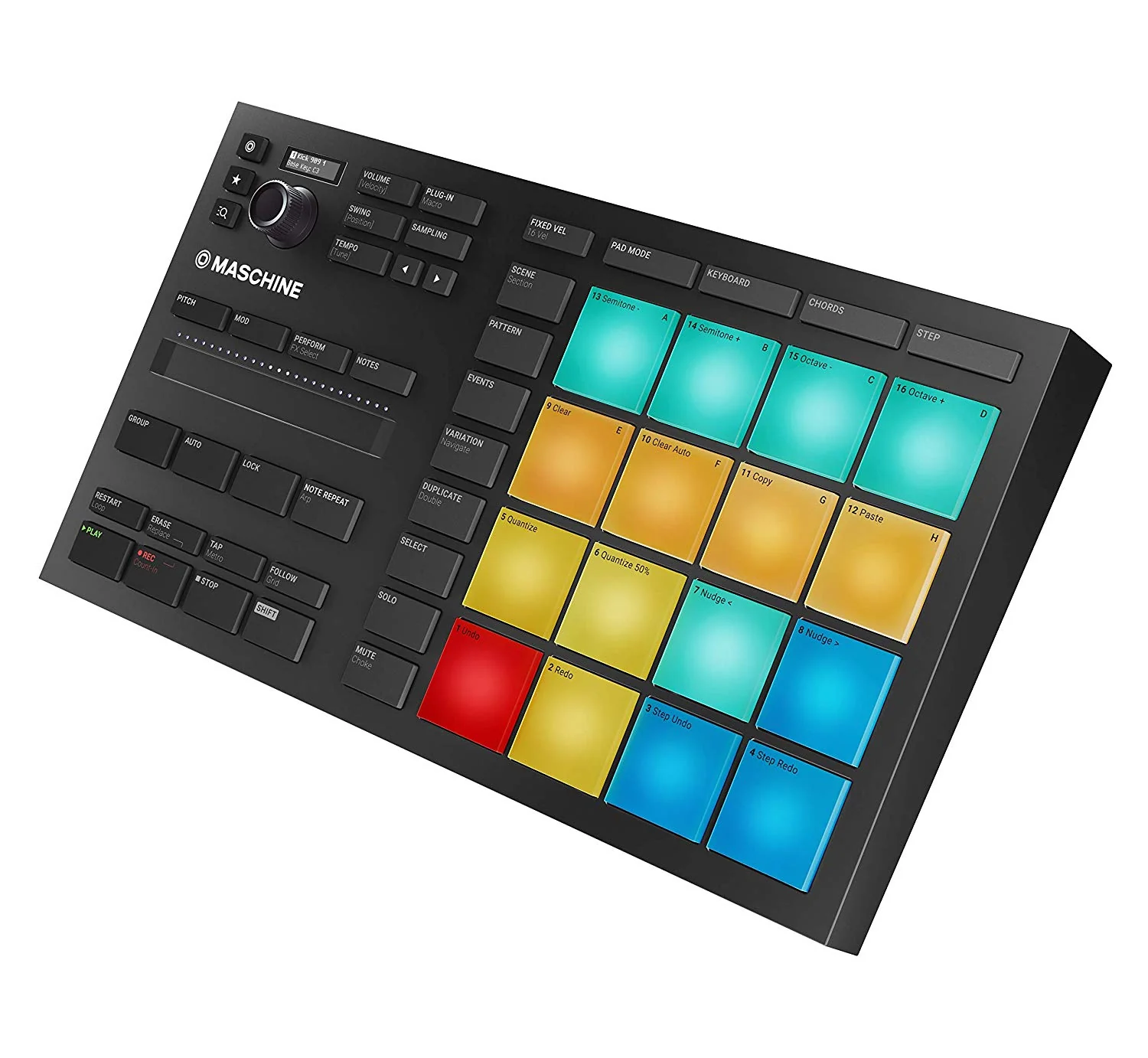
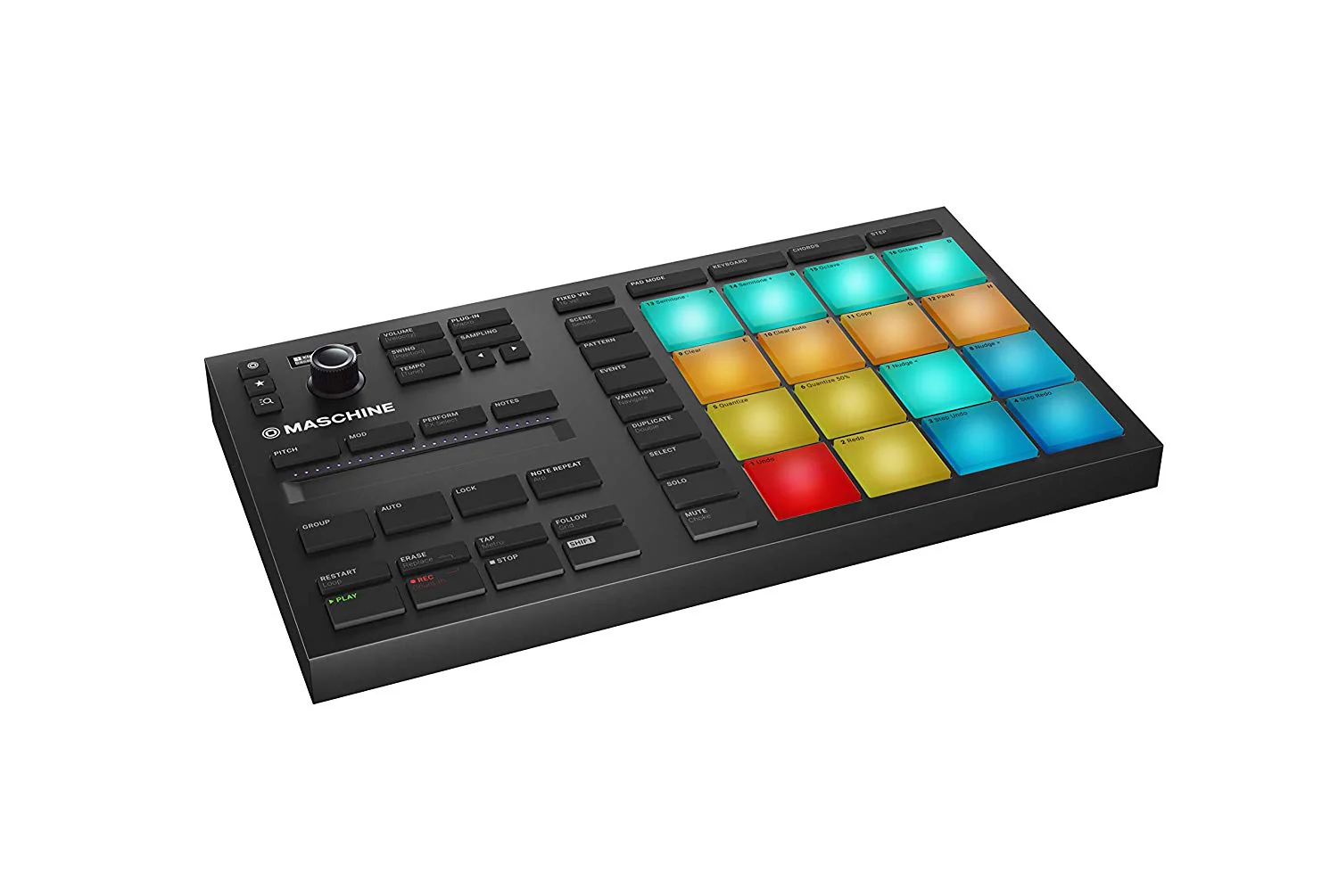
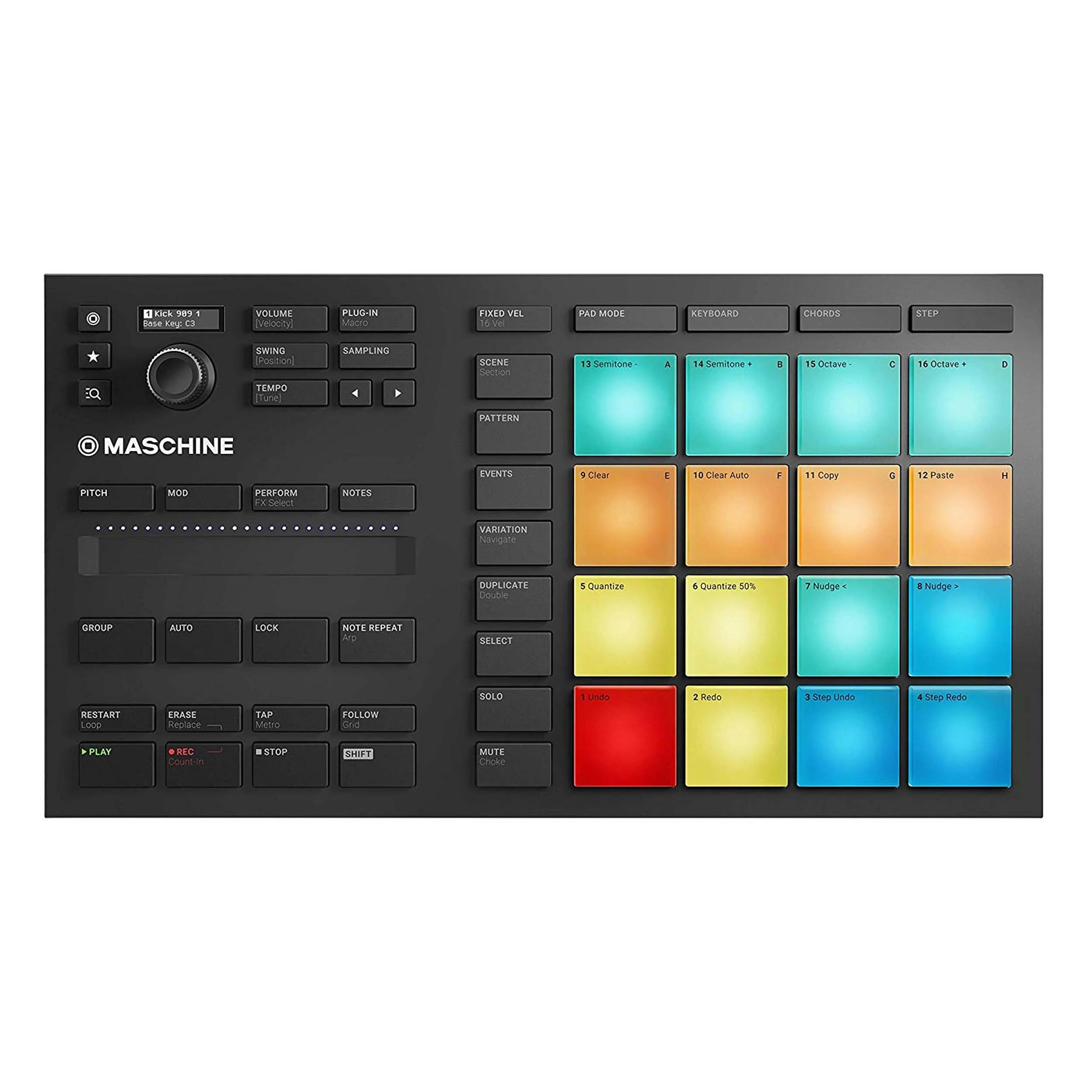
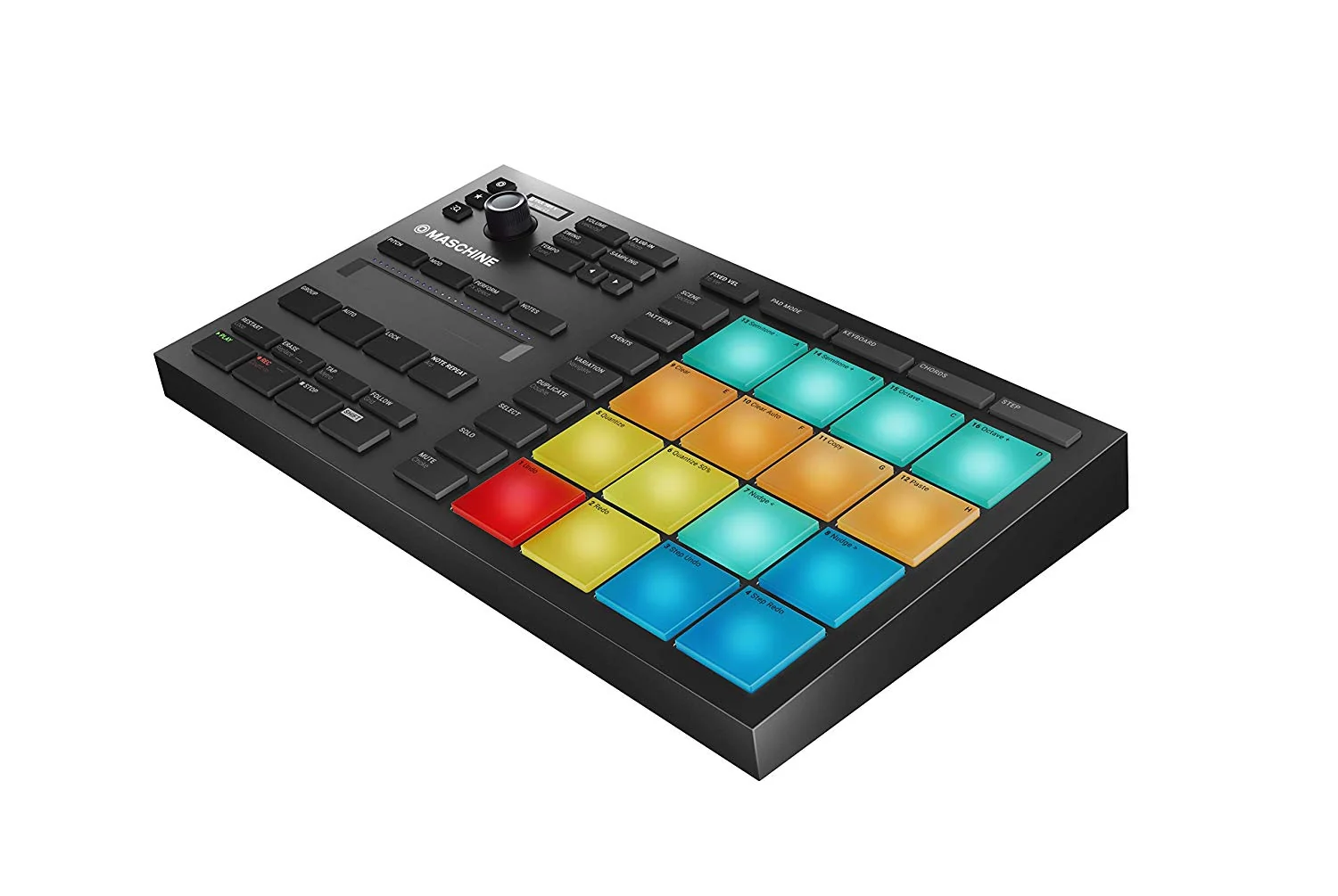
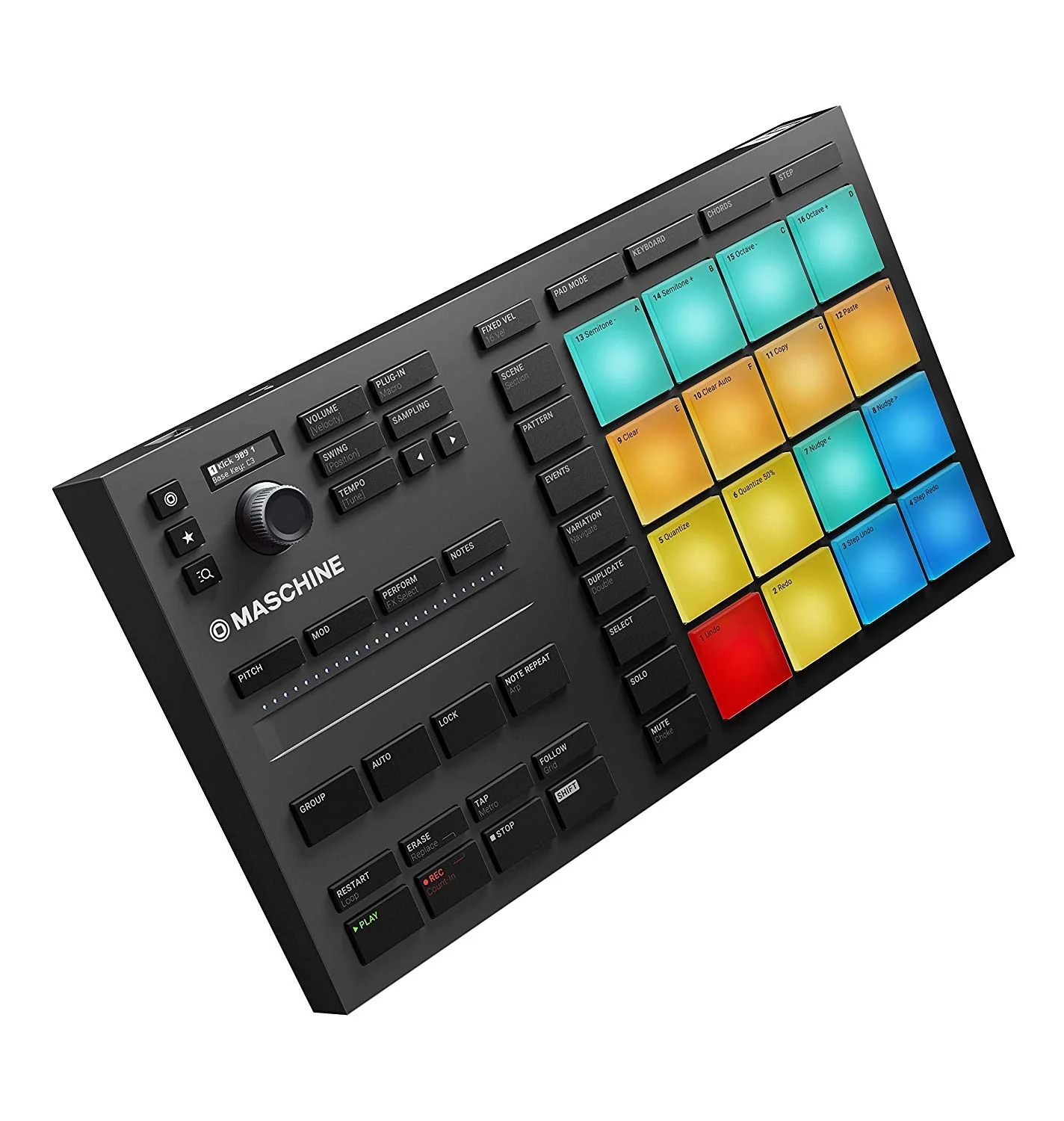
MIKRO gives you four different ways of getting hands-on with your music using the 16 pads. Drum beats in Pad mode, with color coding for kicks, snares, and other sounds. Switch to Keyboard mode to play melodies with the pads. In Chord mode, it’s easy to lay down inspiring chord progressions. And in Step mode, program beats and patterns visually in a classic step-sequencer style on the 16 pads – get exciting musical results quickly.
Find, audition, and swap sounds without stopping the music. Browse through your favorite instruments, and load samples, projects and kits. A compact screen guides the multi-function encoder so you know exactly what you’re controlling, while staying in the creative flow.
Found a great sample? Hit the Sample button to quickly load it into your project from the software. Record from your audio interface to capture from vinyl, play in a guitar, or grab any other sound into your track. Shape and refine your samples using the powerful editing tools in the MASCHINE software.
Product Information
Product Information
Shipping & Returns
Shipping & Returns



Native Instruments Maschine Mikro Mk3 Drum Controller
Native Instruments Maschine Mikro Mk3 Drum Controller
Meet MASCHINE MIKRO, your flexible, compact companion for making music with a laptop. Use it to tap out beats, play melodies, and build up tracks – fast, fun, and hands-on. Want to start creating right away? We’ve thrown in everything you need including instruments, sounds, effects, and powerful tools like sampling and drum synths.
MIKRO gives you four different ways of getting hands-on with your music using the 16 pads. Drum beats in Pad mode, with color coding for kicks, snares, and other sounds. Switch to Keyboard mode to play melodies with the pads. In Chord mode, it’s easy to lay down inspiring chord progressions. And in Step mode, program beats and patterns visually in a classic step-sequencer style on the 16 pads – get exciting musical results quickly.
Find, audition, and swap sounds without stopping the music. Browse through your favorite instruments, and load samples, projects and kits. A compact screen guides the multi-function encoder so you know exactly what you’re controlling, while staying in the creative flow.
Found a great sample? Hit the Sample button to quickly load it into your project from the software. Record from your audio interface to capture from vinyl, play in a guitar, or grab any other sound into your track. Shape and refine your samples using the powerful editing tools in the MASCHINE software.
Original: $225.05
-65%$225.05
$78.77Product Information
Product Information
Shipping & Returns
Shipping & Returns
Description
Meet MASCHINE MIKRO, your flexible, compact companion for making music with a laptop. Use it to tap out beats, play melodies, and build up tracks – fast, fun, and hands-on. Want to start creating right away? We’ve thrown in everything you need including instruments, sounds, effects, and powerful tools like sampling and drum synths.
MIKRO gives you four different ways of getting hands-on with your music using the 16 pads. Drum beats in Pad mode, with color coding for kicks, snares, and other sounds. Switch to Keyboard mode to play melodies with the pads. In Chord mode, it’s easy to lay down inspiring chord progressions. And in Step mode, program beats and patterns visually in a classic step-sequencer style on the 16 pads – get exciting musical results quickly.
Find, audition, and swap sounds without stopping the music. Browse through your favorite instruments, and load samples, projects and kits. A compact screen guides the multi-function encoder so you know exactly what you’re controlling, while staying in the creative flow.
Found a great sample? Hit the Sample button to quickly load it into your project from the software. Record from your audio interface to capture from vinyl, play in a guitar, or grab any other sound into your track. Shape and refine your samples using the powerful editing tools in the MASCHINE software.